



Last updated November 19, 2026 I Reviewed by Alla L., Technical Account Manager at Cloudaware
Short answer: There is no single best CMDB in 2026. There is a best CMDB for the failure mode you are trying to prevent next quarter. For cloud and hybrid governance, Cloudaware leads. For ITSM-led shops already on ServiceNow, ServiceNow CMDB fits. For discovery-first, infrastructure-heavy estates, Device42 fits.
Choosing a CMDB is simple until you’re three demos deep and every vendor is promising a “single source of truth.” Then reality shows up. One tool is built for ITSM-heavy service desks. Another is better in asset inventory but weak on cloud context. Another looks polished till the moment you ask how it handles fast-changing infrastructure, cross-cloud relationships, ownership data, or compliance evidence.
That’s where most CMDB projects start drifting. That's why we tested 13 tools hands-on and scored them on discovery, relationships, data accuracy and total cost. Pick the pain first, then pick the tool.
This guide breaks down most popular CMDB tools for teams that need more than a static inventory. We’re looking at what matters when the environment is real: CMDB discovery, CI relationships, hybrid support, workflow depth, pricing model, and day-two usability.
If you need the complete concept, data model, and implementation workflow, read what a CMDB is. This page serves a different job: comparing products by discovery coverage, reconciliation, relationship depth, service context, workflow fit, implementation effort, and operating cost.
Selecting the best CMDB software characteristics
Everything I’m about to tell you comes from the endless whiteboard sessions, late-night Slack threads, and real-talk syncs I’ve had with the enterprise cloud architects and DevOps leads I work with as an ITAM pro. These are the actual things they’ve ranted about — what’s broken, what saves their hide, and what they wish someone told them before their last CMDB rollout.
Choosing the right isn't just a box to check when you buy something; it's the difference between flying blind and having mission control. When your environment includes clouds, regions, tenants, and that random legacy system that no one wants to own, config data isn't just "nice to have." It's the heartbeat of your business.
What is CMDB software?
CMDB software stores configuration items, their attributes, and their relationships so teams can understand service impact and govern changes. That means it doesn’t just tell you what exists. It helps you understand how infrastructure, applications, services, owners, changes, and dependencies connect.
A good CMDB is the operational map that guides incident response, change management, audit preparation, and service visibility.
A weak one turns into a very costly spreadsheet that doesn't trust you. Inventory may be enough if all you need is a list of devices or cloud resources. But if you need to know how changes to infrastructure affect service risk, find dependencies, or understand impact, that's CMDB territory.
Check the insights we have collected on how to apply it in 2026 in the main guide on CMDB that includes all the questions starting from what is CMDB to its implementation within hybrid multi-cloud environment.
CMDB vs asset inventory vs ITAM
These three get lumped together all the time, but they solve different problems.
- Asset inventory answers a basic question: what do we have?
- IT asset management goes further. It tracks lifecycle, ownership, usage, renewals, licensing, cost control, and operational hygiene.
- CMDB software adds the missing connective tissue. It maps relationships between configuration items, records change context, and helps teams see how one system affects another.
So, a spreadsheet with a laptop? That is a list of things you have.
A cloud instance that is connected to its application, owner, cost center, vulnerability status, change history, and upstream dependencies? That's a CMDB doing its job.
Inventory alone won't be enough if your team needs impact analysis, service visibility, and better governance.
Traditional CMDB vs cloud CMDB
- A traditional CMDB was built for infrastructure that changed on a schedule.
- A cloud CMDB has to survive infrastructure that changes before your coffee gets cold.
That’s the difference.
Traditional platforms tend to work best in places where changes happen more slowly, ITSM workflows are more complicated, and changes are easier to predict. Cloud-first teams often need more than just that: faster sync, stronger cross-platform normalization, and more useful context around each CI.
In the cloud, "server" is never the whole story. You need to know who owns it, what it does, how much it costs, what changed, what policy it breaks, and what will happen if it goes missing.
That's why people who want to buy a modern CMDB should look beyond the word "discovery" and ask tougher questions:
- How new is the data?
- Does it work with both cloud and on-premises?
- Does it make clear maps of relationships?
- Can it connect CIs to owners, spending, and the way things are run?
- Does it help with audits and change control, or does it just look busy in pictures?
Cloudaware’s own CMDB positioning leans into exactly that: hybrid and multi-cloud coverage, cost data, governance policies, ownership, and dependency context in one model. Its product page explicitly frames the platform as CMDB software for hybrid and multi-cloud environments and says it unifies AWS, Azure, GCP, Oracle, Alibaba, and on-prem assets with cost and governance data.
Methodology: How we evaluated CMDB tools
This isn’t a roundup pulled from vendor sites. The shortlist below comes out of the work the Cloudaware solutions team does every week with the cloud architects and DevOps leads we onboard. We score each tool against the six things those teams ask about before signing anything:
- Discovery depth: does it find assets on its own, across cloud and on-prem, or does it depend on imports?
- Relationship mapping: can it represent service → infrastructure → owner → dependency in a way an SRE will trust at 2 a.m.?
- Hybrid coverage: does it treat cloud and on-prem as first-class, or is one bolted on?
- Governance and cost context: does the CI carry the cost, patch, and compliance signal alongside the configuration?
- Audit readiness: can it produce evidence on demand for SOC 2, ISO 27001, FedRAMP, DORA, or PCI without a heroic export?
- Total cost over 12 months: not list price; the real number, including discovery licences, implementation, and the human who keeps the data model honest.
We weighted discovery + relationships most heavily. Anything that fails those two doesn’t make a credible CMDB regardless of marketing.
Key characteristics of a great CMDB:
- Finding assets in real time. Not syncing every night. Not every week. Right now. Let's be honest: assets move up and down faster than your team can open a JIRA ticket. If the tool can't find a new container before it disappears, it's not for you.
- Check if the tool can really talk to everything in your stack, like your on-prem relics, cloud-native services, AD, EDRs, ticketing systems, and IaC repos. CMDB magic only happens when data flows from all over the place without the need for duct tape and a thousand scripts.
- You also need a way to see related items without having to squint at JSON blobs. A good configuration management database tool should show how things are connected, like how this EC2 connects to that RDS, which connects to this VPC, which was set up by that Jenkins job. In that context, incident response and change control feel like strategy instead of whack-a-mole.
- Tagging, both automatic and manual. Good tools let you enforce tagging rules across all clouds and mark assets that don't follow naming rules. Great tools let you use workflows, budgets, or compliance controls to act on those tags.
- How you align tech with business is through custom CI grouping. Make views based on cost centers, environments, applications, regions, or anything else your Ops, Sec, and FinOps teams need. The best CMDB tools don't make you use a certain model; they let you make your own.
- Possibility to automate your workflow, keep track of changes, see vulnerabilities, detect intrusions, and get good reports—all of which should come with the software.
And here is a quick overview of the best CMDB tools that meet this criteria if you don’t have time to read it all 👇
Best CMDB tools comparison at a glance
Start with the workflow your CMDB needs to support. If your service desk runs change approvals, look for a platform that connects each affected configuration item (CI) to the change record. If you’re planning a data center exit, prioritize discovery coverage and dependency mapping.
| Tool | Best fit | What to verify in a demo |
|---|---|---|
| Cloudaware | Application ownership and governance across cloud and on-premises resources | Trace a resource with a missing owner tag to its application and responsible team |
| Device42 | Infrastructure discovery before a migration or data center exit | Compare a discovered application dependency with one the migration team has already verified |
| ServiceNow CMDB | Enterprise change and incident workflows on the Now Platform | Submit conflicting updates from two sources and inspect the CI used by the change record |
| Asset Panda | Equipment custody and asset lifecycle tracking | Reconstruct a device handoff from its checkout history |
| Deepser | Service teams building a CMDB alongside their help desk | Model a shared server and check whether an analyst can identify both services that depend on it |
| Freshservice | Service desks that need business impact on a change request | Check how a change assessment handles a missing or incorrectly directed CI relationship |
| SolarWinds Service Desk | Operations teams that need service context during incident triage | Start with a hostname from an alert and locate the affected service in the service desk |
| OpenText Universal Discovery and CMDB | Enterprise discovery and service modeling | Change one component in a known service model and inspect the result after rediscovery |
| BMC Helix CMDB | Enterprises reconciling several inventory and service data sources | Follow a conflicting attribute from its source dataset into the production CI |
| Axonius | Security teams comparing asset coverage across tools | Investigate a device that appears in inventory but has stopped reporting to a security tool |
| Flexera One IT Asset Management | Software asset managers reconciling installations and license rights | Trace a discovered installation to the product and entitlement used in a renewal decision |
| ManageEngine ServiceDesk Plus | IT teams buying service desk, asset, and CMDB capabilities together | Run the required change workflow in the edition named on the quote |
| Ivanti Neurons for ITSM | Change managers assessing service impact through CI maps | Open a proposed change and identify the services downstream of the affected CI |
13 best CMDB tools reviewed for 2026
1. Cloudaware CMDB
Cloudaware fits enterprises where cloud accounts and infrastructure teams divide the estate differently. A production application might use resources in two clouds and a database in a company data center.
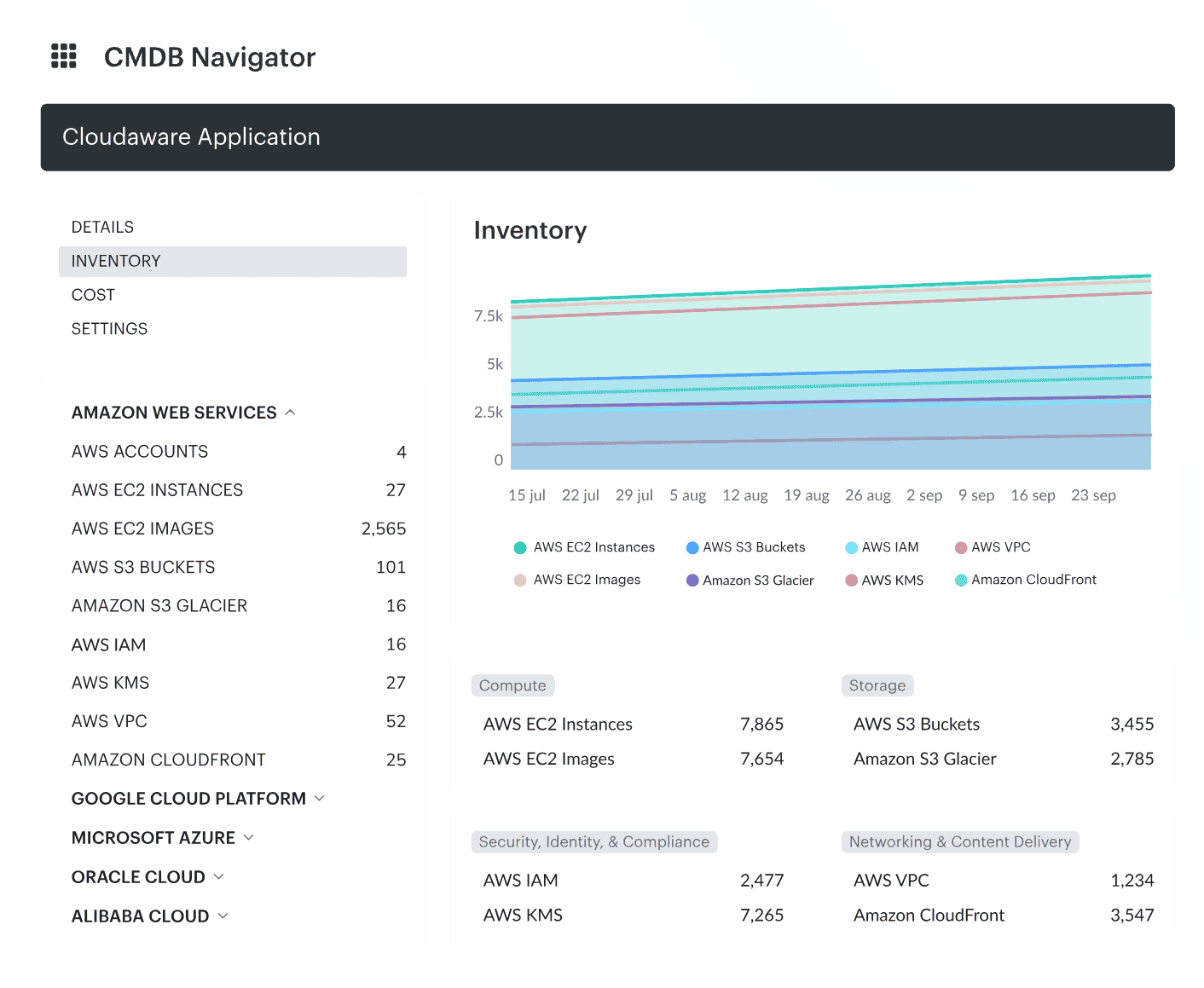
Cloudaware Virtual Applications group the relevant CIs into a logical application with tiers. That gives the application owner a defined set of resources to review and gives FinOps a way to report on the service across provider boundaries.
Where to look closely: Choose a service that shares infrastructure with another application. Ask which resources belong exclusively to the service, how shared components are represented, and who maintains the grouping after a migration. If ServiceNow runs the change process, include the handoff to the ticket owner in the evaluation. For a deployment estimate, use the Cloudaware CMDB pricing calculator:
For an enterprise inventory example, see the Coca-Cola case study. For teams evaluating read-only access to CI records and relationships through an AI assistant, see the Cloudaware MCP server.
2. Device42
Device42 belongs on a migration shortlist when the team has a server inventory but cannot confidently draw the application boundaries.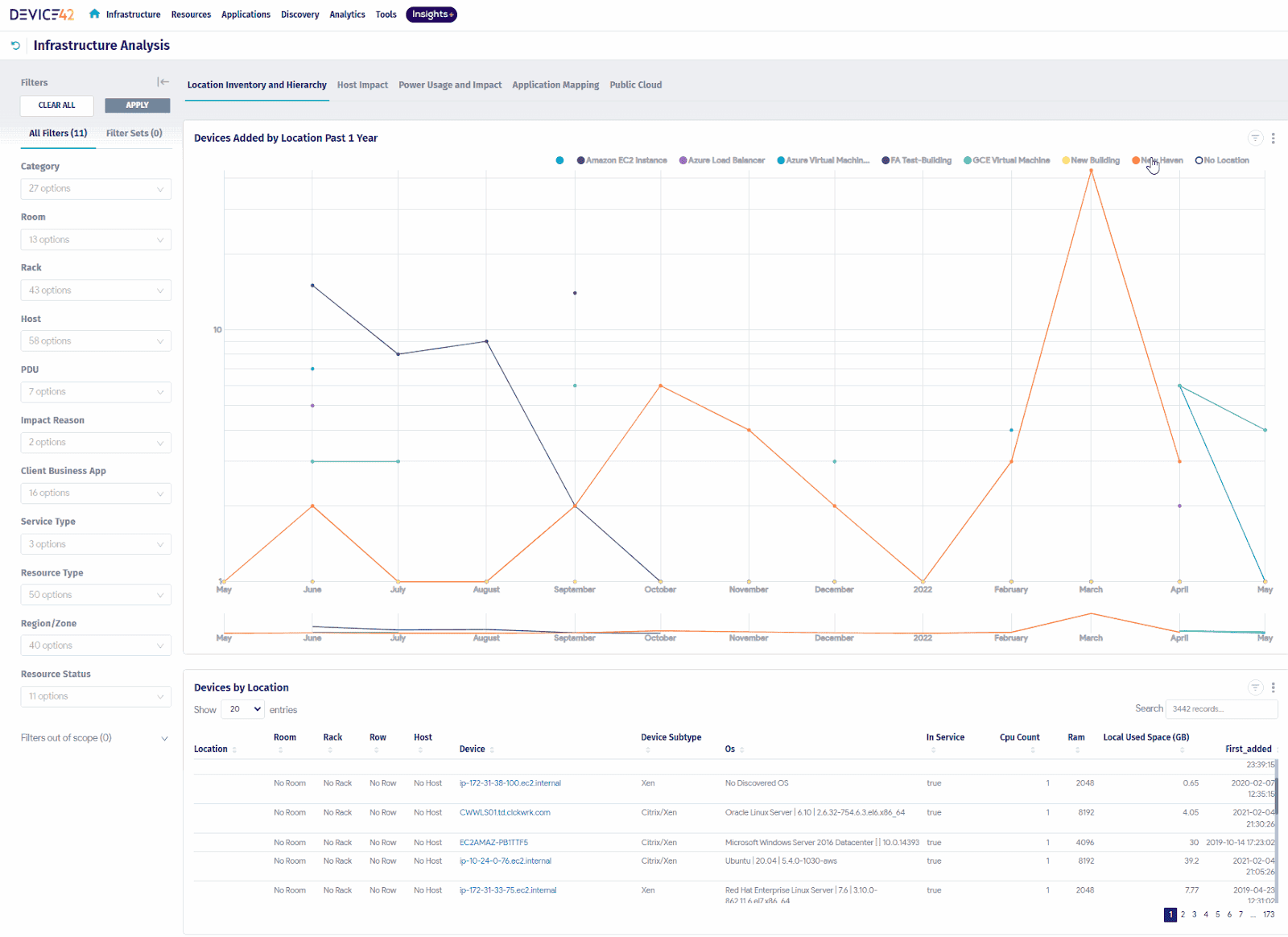 Image source.
Its Application Dependency Mapping capability works through autodiscovery jobs and lets engineers inspect discovered dependencies and organize application groups. Device42 documents Enterprise Application Discovery as a license requirement for this functionality.
Where to look closely: Bring an application that runs a scheduled batch job. Compare the discovered map with the dependencies its owner expects during that job. A map collected during ordinary business hours may look complete while missing the connection that matters at month-end.
3. ServiceNow CMDB
ServiceNow CMDB is a strong candidate when change managers, incident responders, and service owners already work on the Now Platform.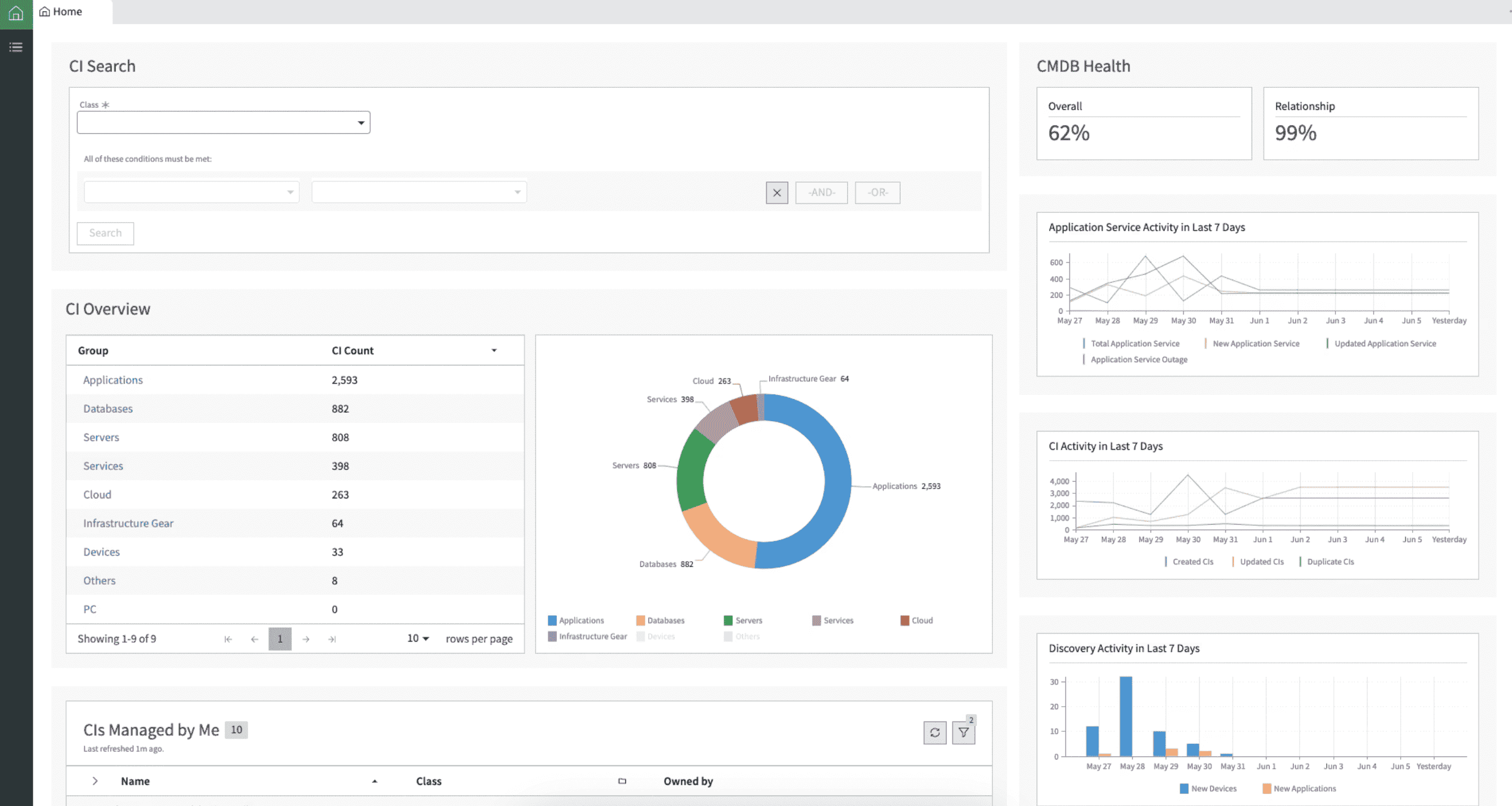 Image source.
Its Identification and Reconciliation Engine addresses an important operational problem: deciding whether an incoming record describes an existing CI and which source can update its attributes. Those decisions affect every workflow that consumes the record.
Where to look closely: Submit the same VM through two approved sources with different owner values. Inspect the resulting CI, the winning value, and the record a change manager sees. For a multi-cloud rollout, test coverage against your own AWS, Azure, and Google Cloud resource types.
4. Asset Panda
Asset Panda is relevant when the disputed fact is who has an asset, where it went, or when it changed hands.

Its checkout reporting can pull both current information and action history. For a team managing equipment across facilities, that history can be more valuable than a detailed infrastructure model.
Where to look closely: Reconstruct the last two assignments of a loaner device. Then ask a separate question: which business service would be affected if that device went offline? The first exercise tests custody. The second establishes whether your project also needs service modeling.
5. Deepser
Deepser puts servers, devices, software, licenses, and services in a CMDB that supports relationships between records. It is a candidate for service teams moving beyond a help desk inventory and building their first shared model of the infrastructure they support.
Where to look closely: Have a service analyst model one application with its server, database, and owner. Then change the database owner. Check which records need manual updates and whether the analyst can identify the person responsible for maintaining the relationship.
6. Freshservice
Freshservice is worth evaluating when the buying team wants to improve change approvals inside the service desk. Its documented business-impact workflow uses configured CMDB relationships to identify the impact of a proposed change. The quality of the underlying relationships is therefore part of the implementation cost.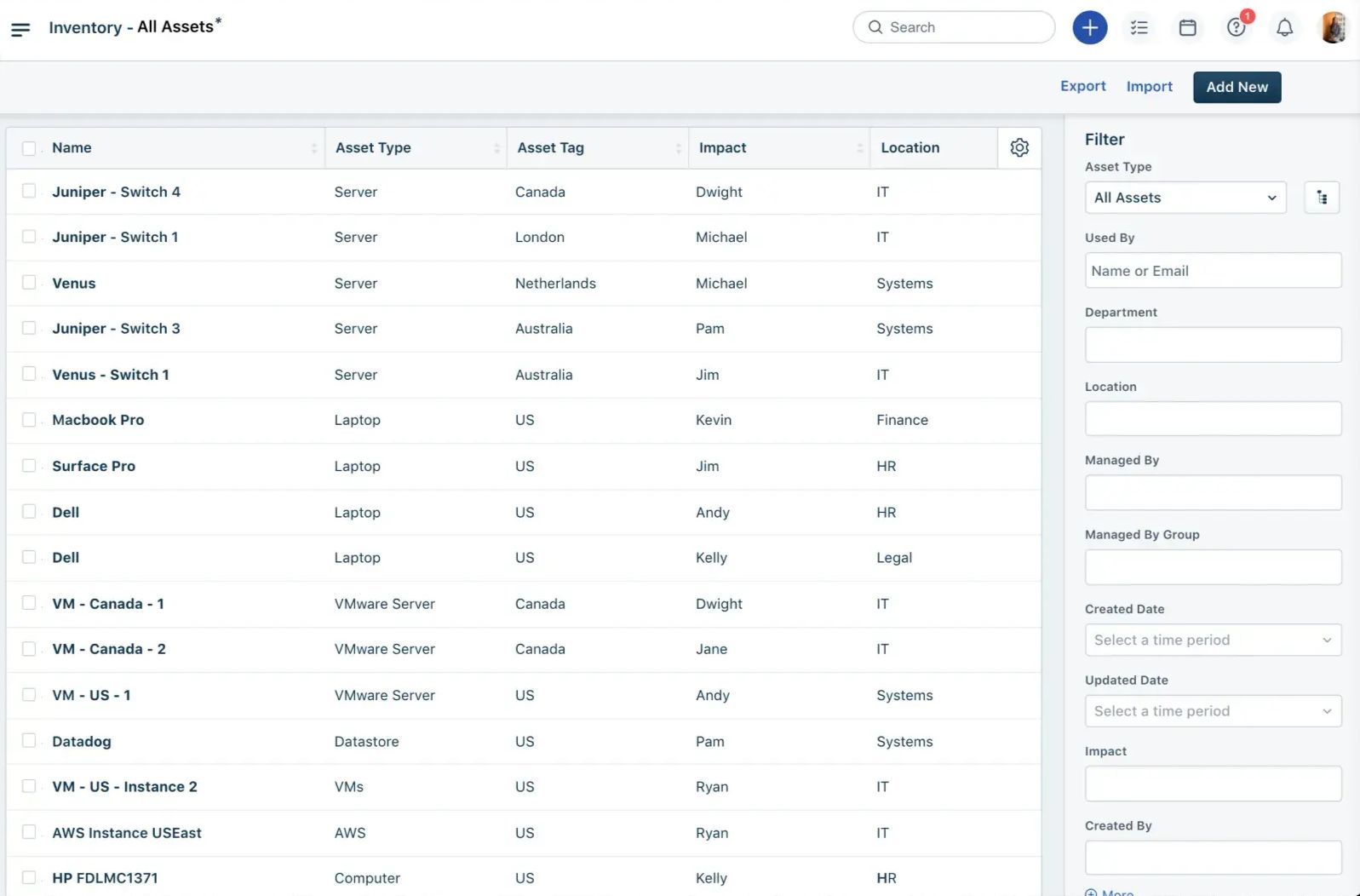 Image source.Where to look closely: Pick a database used by two applications, one customer-facing and one internal. Have a change manager review the proposed maintenance from the change record. Compare the services identified there with the application owners’ maintenance lists.
7. SolarWinds Service Desk
The product to evaluate here is SolarWinds Service Desk. Its CMDB represents the configuration items that support a service and the relationships among them.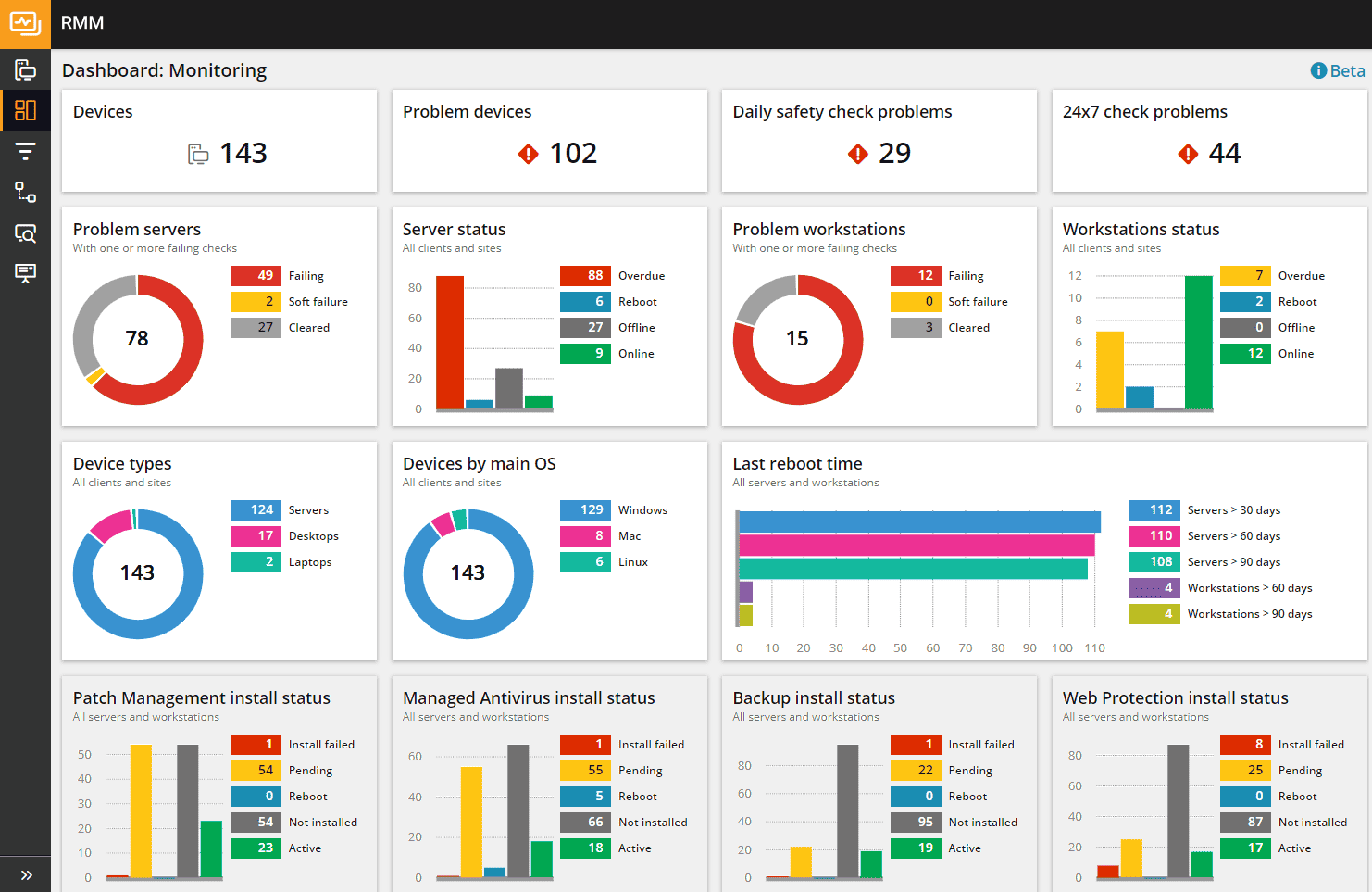 Image source.That is relevant to operations teams whose monitoring data already identifies a failing component but leaves the service desk to determine who is affected.
Where to look closely: Give the analyst a hostname exactly as it appears in an alert. Ask them to find the CI, identify the supported service, and determine whom to notify. Record any lookup that requires a separate console or a manually maintained naming convention.
8. OpenText Universal Discovery and CMDB
OpenText combines a CMDB with automated discovery of servers, software, and service models. It fits evaluations where several infrastructure teams contribute to a common enterprise model and architecture teams depend on those service relationships for planning.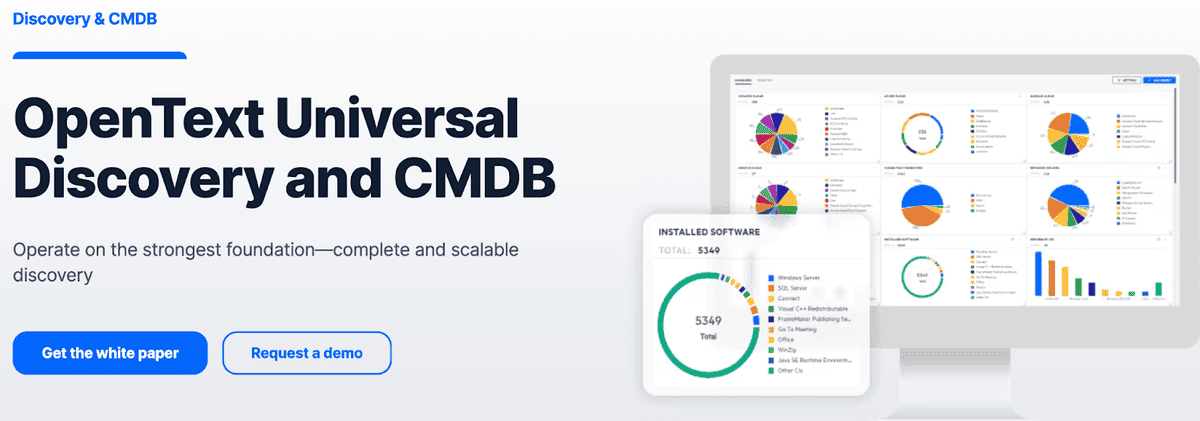 Image source.
Where to look closely: Select a service with a known application-to-database relationship. Move a component in the test environment and compare the service model before and after rediscovery. Ask which information discovery refreshed and which parts of the model still require an owner.
Read also: Revolutionize Your IT Strategy with ITIL Configuration Management
9. BMC Helix CMDB tool
BMC Helix CMDB deserves a look when several systems supply overlapping configuration data. Its datasets preserve logical groupings of source data for processes such as normalization and reconciliation. That structure matters when the CMDB team must explain why one source’s value appears in the production record.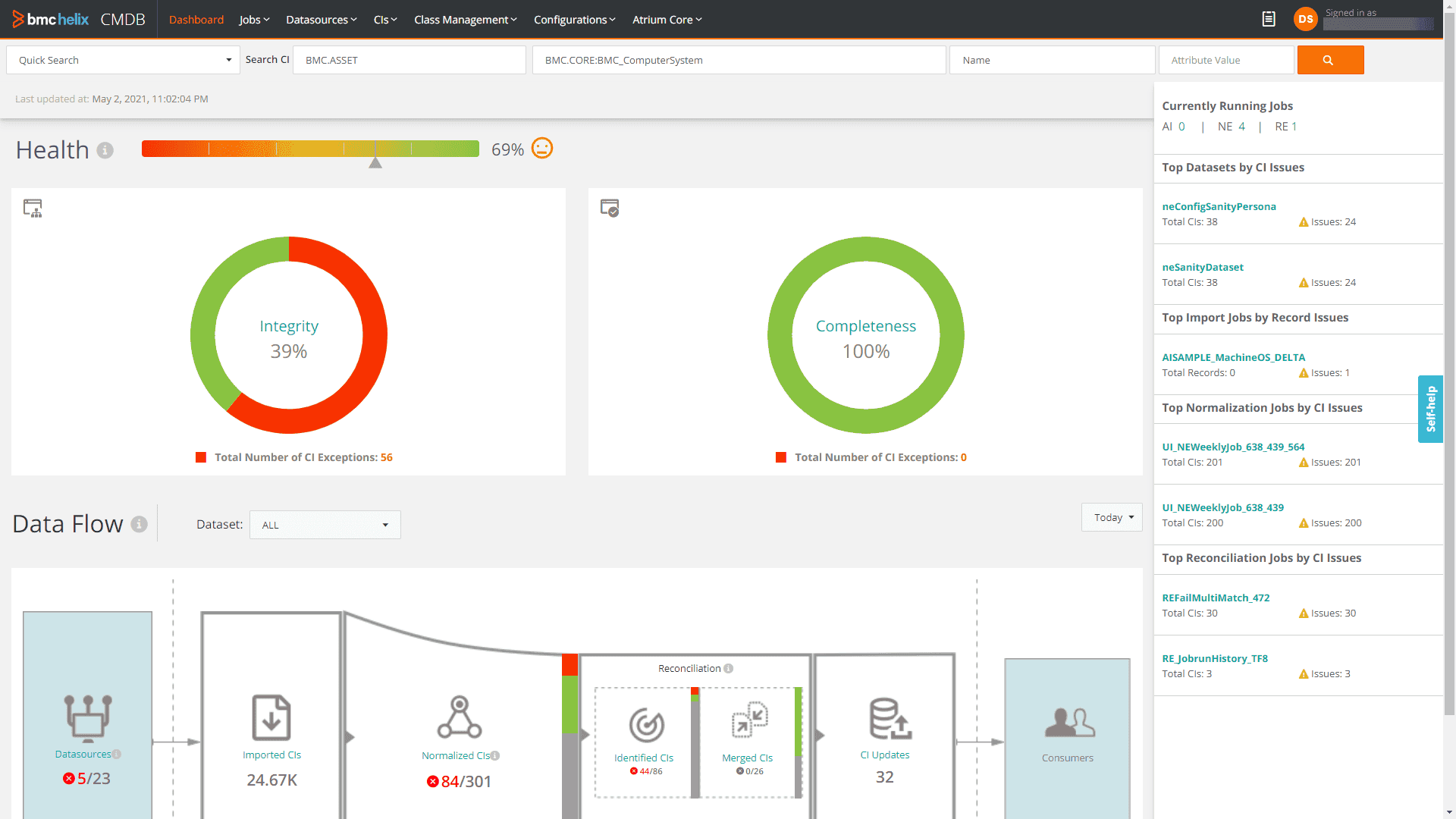
Image source.Where to look closely: Use a server whose hostname changed in discovery while an older inventory feed still supplies the previous name. Follow both source records through reconciliation. Have the administrator show how they would investigate an unexpected merge before it affects downstream tickets.
10. Axonius
Axonius fits a security asset coverage project. Its discovery cycle fetches data through adapter connections, and the age at which an asset is considered old can vary by adapter configuration. That distinction matters when a device appears in an inventory source but has disappeared from an endpoint or vulnerability tool.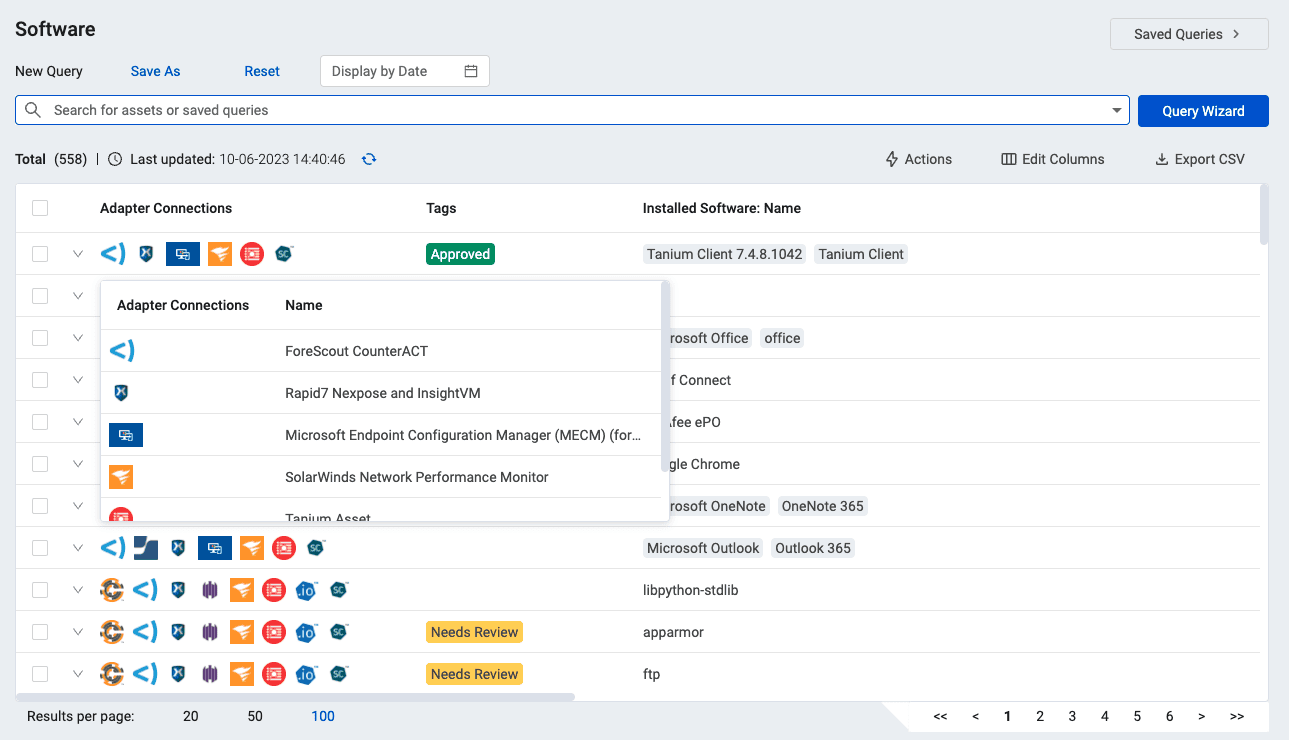
Image source.Where to look closely: Pick an endpoint that still exists but has stopped reporting to one security tool. Ask which source supplied the last observation and when the gap becomes visible. If change-impact analysis is also a requirement, evaluate it separately using a business service with known dependencies.
Read also: Decoding configuration management vs change management in a multi-cloud environment
11. Flexera One IT Asset Management
Flexera is most relevant when software licensing drives the project. 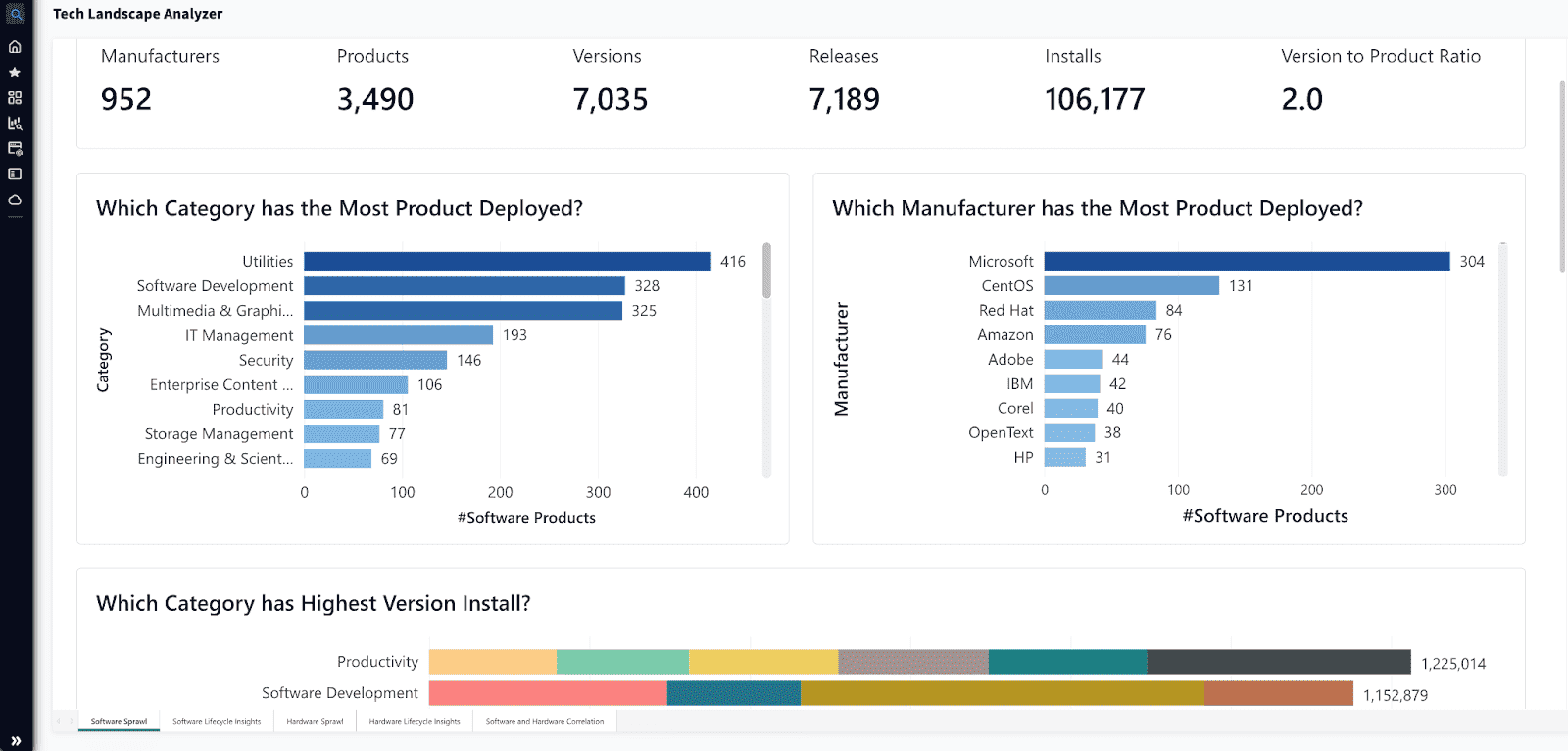 Image source.Flexera plays nice with your wider stack of configuration management tools. It’s designed to integrate with procurement systems, ITSM workflows, and cloud cost management platforms. So your software insights aren’t just sitting in the CMDB — they’re fueling action across the org.
Where to look closely: Select one publisher with several editions deployed. Ask the software asset manager to trace a sample installation through the licensing assessment and explain which evidence supports the renewal quantity. If another platform owns the operational CI, include that data exchange in the evaluation.
12. ManageEngine ServiceDesk Plus
ServiceDesk Plus is a candidate for buyers comparing help desk, asset management, and configuration management within one purchase.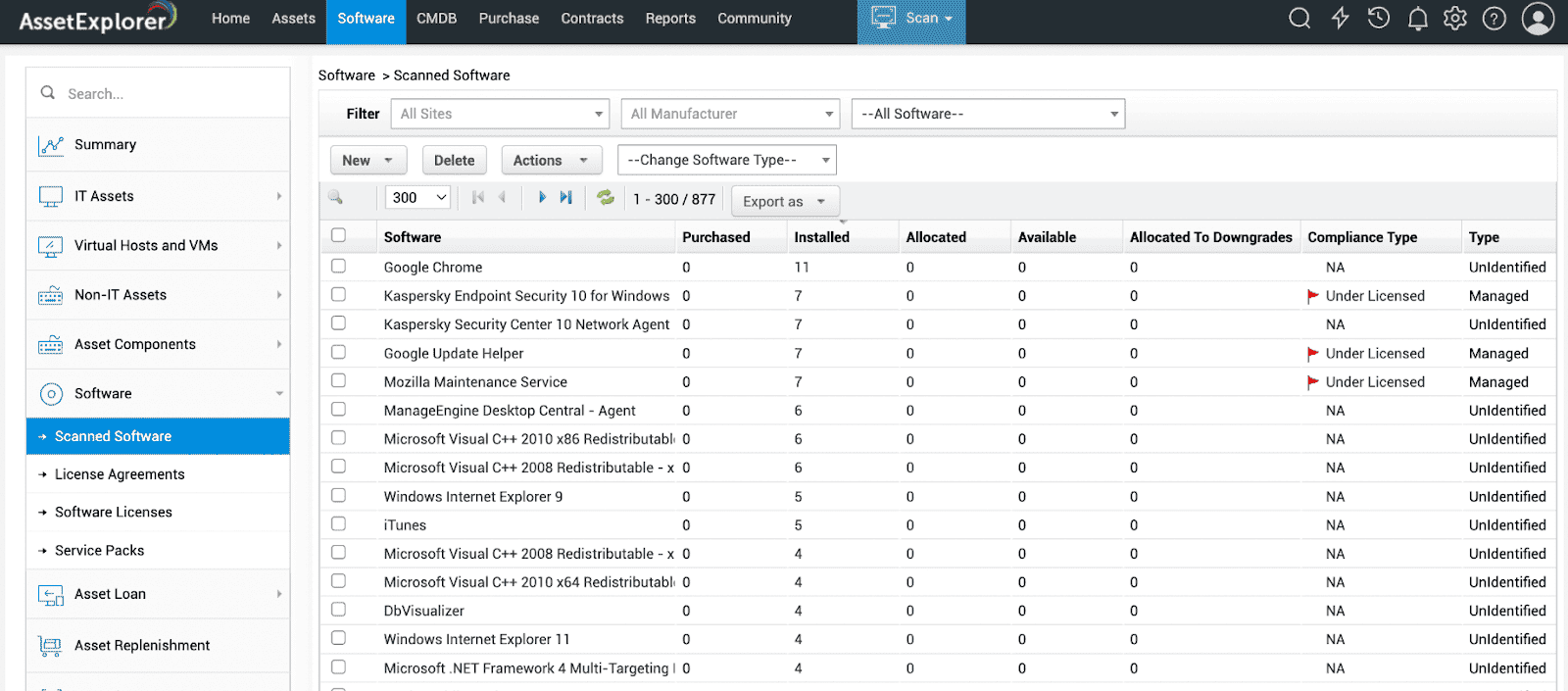
Image source.Their configuration management database became the core of everything. Incident handling, change tracking, SLA management — way smoother once those relationships were visible. Processes like asset onboarding and license checks stopped being guesswork.
Where to look closely: Give the vendor a single acceptance scenario: an analyst receives an incident, identifies the affected CI, finds its upstream service, and opens a change against it. Ask for an itemized quote covering every step the team used.
13. Ivanti Neurons for ITSM
Ivanti Neurons for ITSM models both physical assets and services as CIs.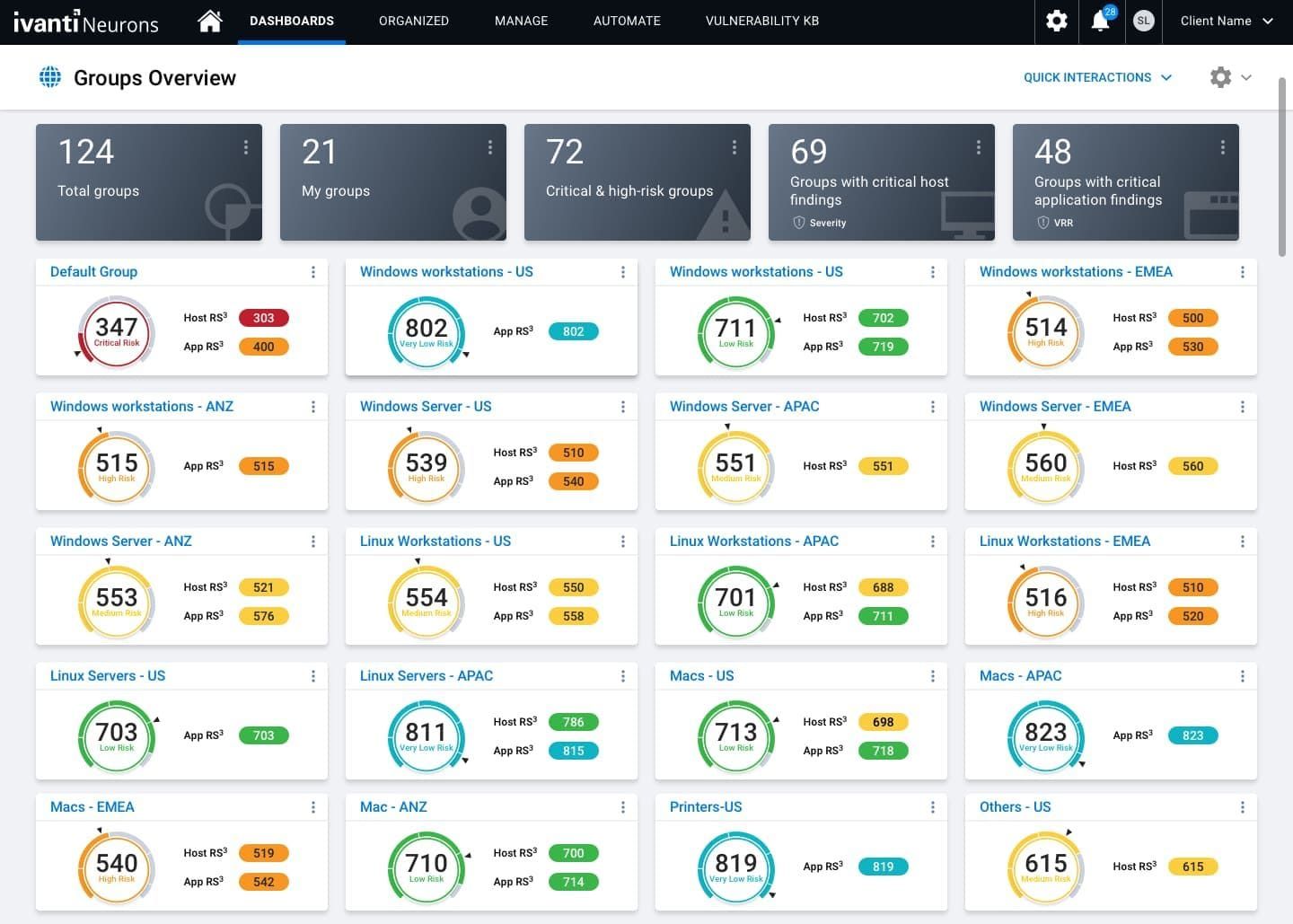
Image source.Change managers can use the CI map to inspect services that may affect, or be affected by, a change. This makes it a relevant option when the change advisory team needs to review dependencies before approving work.
Where to look closely: Start with a shared infrastructure component, such as an identity service, and trace the impact of a maintenance window. Ask who maintains the relationships shown in the map and which discovery or service-mapping capabilities are included in the proposed deployment.
Free CMDB software and paid deployment costs
GLPI is a starting point for teams that want free, open-source asset and IT management software. Its public project includes asset management and service desk functionality. Before committing to a self-hosted deployment, model one service with the relationships you need, then estimate the work to maintain those records, operate the platform, and keep integrations current.
A trial answers a different procurement question: can the commercial product pass your acceptance test? Use the trial to exercise the discovery method and workflow you intend to buy.
For example, Device42 identifies the license required for Enterprise Application Discovery, and ManageEngine publishes a feature comparison by edition. Both are reasons to record the exact configuration used during the demo.
| Cost to compare | What to include in the proposal |
|---|---|
| Subscription | Billable unit, included volume, minimum commitment, and the price at expected growth |
| Discovery and mapping | Required collectors, connectors, environments, and service-mapping entitlements |
| Implementation | Source onboarding, CI matching rules, initial service models, and integration with the ticketing system |
| Ongoing operation | Ownership of failed imports, duplicate records, stale relationships, upgrades, and support |
For Cloudaware, start with the CMDB pricing calculator. For every shortlisted product, apply the same estate size and require the quote to cover the workflow that passed the demo.
Best CMDB software by use case (because “best” depends on what hurts)
Every team buying a CMDB in 2026 is solving a different specific pain. Some are losing the AWS estate to shadow accounts. Some have an auditor on the calendar in six weeks. Some inherited a ServiceNow instance and a half-finished Discovery rollout. Calling any single tool “the best CMDB” ignores all of that.
So here’s the shortlist the way we’d actually give it to a friend, by the problem they’re trying to solve.
Best CMDB for cloud and hybrid governance: Cloudaware
If your environment spans AWS, Azure, GCP, and a stubborn on-prem rack — and the question on the table is “who owns what, what does it cost, is it patched, is it compliant” — this is the box Cloudaware was built to check. The CIs aren’t just listed; they’re enriched with cost data, vulnerability state, patch status, and ownership in one row. Two recent customers we worked with closed their tagging audit weeks ahead of schedule because the CI view answered the auditor’s questions without anyone opening a spreadsheet.
Where it falls short: if your operating model is ServiceNow-first and you don’t want a second console, you may end up syncing back to ServiceNow anyway. Plan the integration up front.
Best CMDB for ITSM-led shops already on ServiceNow: ServiceNow CMDB
ServiceNow CMDB wins for one boring, durable reason: it’s already there. If your change, incident, and request flows live on the Now Platform, putting the CMDB next to them is the path of least resistance. Discovery is excellent. CSDM gives you a sane reference model. The bill is the bill, and you’ll need someone whose actual job is to keep the data model honest.
Don’t pick it for: cloud-first teams without an existing ServiceNow estate. The ROI math doesn’t hold up.
How to choose a CMDB for IT automation?
If change approvals already run in ServiceNow, start by testing ServiceNow CMDB against one of your existing change workflows. If the workflow stalls because a cloud resource has no identifiable owner, evaluate Cloudaware’s application and ownership mapping against that same case.
For the demo, pick a VM scheduled for retirement. Ask the vendor to trace it to the application it supports, identify who should approve the change, and show what reaches the change ticket. Then remove the owner from the test record and run it again. That second run tells you who gets the exception when the inventory is incomplete.
Best CMDB for discovery-first, infrastructure-heavy environments: Device42
If the loudest problem in the room is “we genuinely don’t know what’s in the data center,” Device42 earns its place. The autodiscovery is deep, agentless options exist, and the dependency mapping survives contact with messy networks. Teams running through a data-centre exit or a colocation consolidation lean on it for a reason.
Trade: the cloud governance story is thinner than the infra story. Pair it with something cloud-native if both matter.
Best CMDB for mid-market service teams that want ITSM + CMDB in one: Freshservice or Deepser
Mid-market service desks usually don’t need the CSDM bible. They need a help desk where the affected service and its dependencies show up on the ticket without a 12-week implementation. Freshservice covers that with the cleanest UX in the segment. Deepser is the European-flavoured alternative and tends to price below it. Either way, you’re trading some depth for time-to-value, and that’s usually the right trade at that scale.
Best CMDB for audit and compliance pressure: BMC Helix or Flexera
If the buying trigger is an upcoming SOC 2, ISO 27001, FedRAMP, or DORA milestone, this is the lane. BMC Helix’s Discovery and CMDB combination still anchors a lot of regulated estates. Flexera leans harder on licence position and SAM-adjacent compliance — useful if your auditor cares about software entitlements as much as configurations.
Reality check: both are heavy. Budget the implementation partner. Self-serve rollouts here go sideways.
Best CMDB for cybersecurity asset visibility: Axonius
Axonius technically isn’t “a CMDB” in the classic sense — it’s a cyber asset attack surface management (CAASM) platform that produces a CMDB-shaped output by reconciling every tool that already knows about your assets (EDR, MDM, scanners, cloud APIs, AD). For security teams that just need a defensible, current source of truth without re-platforming, it’s the shortcut.
Don’t pick it for: service-impact modelling. That’s not its job.
Best free or open-source CMDB: GLPI, i-doit Open, Faddom
Covered in detail in the free-software section above. Short version: GLPI for inventory plus relationships you draw yourself, i-doit Open for stronger CI typing, Faddom for an agentless dependency map you can stand up in an afternoon. None of these will scale to a Fortune 500 estate; all of them will get you to a credible Tuesday demo.